Self-hosted · Open source

Your AI.
Your server.
Your rules.

Molly is a private, voice-first AI companion that runs on your own gateway. Talk, share screenshots, and keep every conversation on infrastructure you control.

v1.0.0 · build 3 203 MB Android 8+ APK signed
100%self-hosted
0Molly accounts
1pairing code
~60sto set up
Get the app

Install Molly in under a minute.

Grab the Android APK, pair it with your gateway, and start talking.
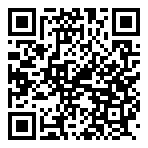
QR code to download the Molly APK
Scan with your phone
Version1.0.0 (build 3)
RequiresAndroid 8.0+
Packagecom.molly.app
SHA-256 checksum ae77b16a31e6c1af004ff6773e2ede756c39b588bf84630e88746b5bcd31dd0e

Already have an older Molly? Installing this APK over it keeps your data and pairing.

Quick start

One command, whichever side you're on.

Copy a command, or use the buttons to install and pair.

Install via ADB
curl -fsSL https://molly.devs.surf/downloads/install.sh | bash

Needs adb and USB debugging. With no device connected, it simply downloads the APK.

Just download
curl -fL https://molly.devs.surf/downloads/molly-v3.apk -o molly.apk

Saves the APK locally. Open it on your phone to install.

Pair your server
cd ~/molly/backend && venv/bin/python -m app.cli connect

Run on the machine hosting your gateway. The 8-character code is valid for 10 minutes.

Setup

Three steps to your own AI.

No accounts, no dashboards, no cloud dependency.

01

Install the APK

Download the APK and allow installs from your browser when Android asks. The build is a universal, signed APK.

Download APK
02

Generate a pairing code

On your server, run the connect command. It prints an 8-character code and opens a 10-minute pairing window.

cd ~/molly/backend
venv/bin/python -m app.cli connect
03

Pair and chat

Open Molly, enter the code, and you're in. The app stores a worker token and talks to your gateway over HTTPS.

Code expired? Run the connect command again — nothing else changes. The app keeps working until you unpair or clear its data.
Why Molly

Private by architecture.

The interesting part isn't the chat box — it's where the chat box points.

Gateway pairing

One short-lived code binds your phone to your gateway. No shared passwords, no public login form.

Voice-first

Hands-free voice mode with a mic button that stays out of the way until you need it.

Vision & files

Share screenshots, diagrams, and photos. Molly sees what you're working on, not just what you type.

Your workers

Route requests to the machines you enrolled. Swap a worker without reinstalling the app.

Real-time streaming

Tokens and tool calls arrive over WebSockets, so answers feel immediate instead of batched.

Open source

Audit the gateway, the app, and the worker protocol. Run it exactly the way you want.

FAQ

Good questions.

Yes. Molly's gateway and backend run on a VPS or home server you control. The Android app connects to that gateway; there is no Molly-hosted account in the middle.

The app and gateway are open source. You pay only for your server and whatever model provider you configure. No subscription is required to install the APK.

Android 8.0 and newer. The APK is universal, covering arm64-v8a, armeabi-v7a, and x86_64 devices, so it installs on phones, tablets, and emulators alike.

To your gateway, and then to the model provider you chose. Molly does not run a relay or store your chats on our infrastructure.

New APKs are signed with the same key. Install the new build over the old one and your pairing and local data stay in place. You can verify downloads against the SHA-256 published above.